docs
Glossary & Acronym Dictionary — User Guide
Works in: Confluence (macro) and Jira (issue panel) Hosting: runs entirely on Atlassian Forge, with no outbound network access. The glossary is saved in Forge storage on your own site.
Glossary Studio keeps one shared A–Z glossary of terms and acronyms for each Confluence space and each Jira project. It refuses duplicate terms and clashing acronyms, so two teams can’t publish different meanings for the same acronym.
Quick start
- Confluence: edit a page, type
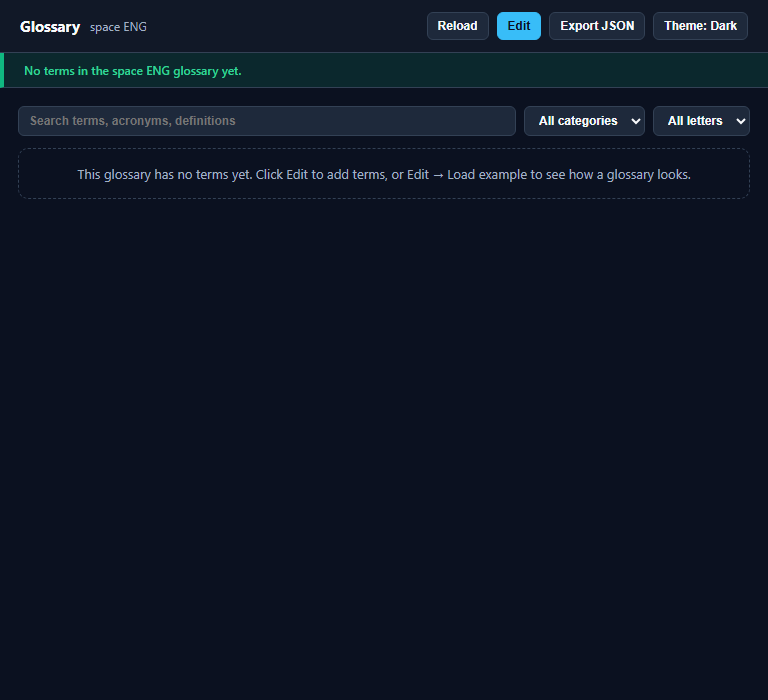
/, and choose Glossary & Acronym Dictionary. Jira: open an issue and open the Glossary & Acronym Dictionary panel. - Click Edit. To get started quickly, click Load example.
- Add terms with the form (Term, Acronym, Category, Definition, then Add term to draft), or edit the glossary as JSON in the editor.
- Click Save.
One glossary per space or project. Every Glossary macro in the same Confluence space shows the same glossary, and every issue in a Jira project shares that project’s glossary. A different space or project starts empty.
Find terms
Use the search box, the category list or the letter list (A–Z) to narrow the glossary. Export JSON downloads the whole glossary.
JSON format
[
  {
    "term": "Service Level Objective",
    "acronym": "SLO",
    "category": "Reliability",
    "definition": "The target level of reliability for a service.",
    "ownerTeam": "SRE"
  }
]
term and definition are required. acronym, category and ownerTeam are optional; ownerTeam can be set in the JSON editor.
Rules
| Rule | Limit |
|---|---|
| Term | Required, up to 200 characters, unique in the glossary |
| Acronym | Optional, up to 32 characters, unique in the glossary |
| Category, owner team | Up to 100 characters each |
| Definition | Required, up to 4,000 characters |
| Terms shown at once | 300 (search or filter to find others) |
Text is always shown as text, so HTML or scripts in a definition never run.
Who can save
Anyone who can see the page or issue can read the glossary. Saving needs permission to edit the page or issue the glossary is on. If two people save at once, the second save is refused as out of date; reload and reapply your change. Unsaved drafts are kept in your browser.
Permissions
| Scope | Why |
|---|---|
storage:app |
Save one glossary per space or project. |
read:page:confluence, read:jira-work |
Check that you can edit the page or issue before saving. |
FAQ
Is our terminology stored outside Atlassian? No. It is stored in Forge storage on your site.
What happens if the licence lapses? The glossary still displays, read-only. Saving needs an active licence or trial.